Take phone orders, check container availability by date, plan deliveries and collections, send jobs to drivers, track payments and create invoices — from one simple system.
That's fine until two trucks leave on the same morning, a customer calls about a skip nobody booked, and the dispatcher can't find the cash receipt for last Friday's job.
Three customers in three chats. Different agreements about size and price. When the truck leaves at 7 a.m., nobody is sure who gets what.
Customer paid for 7 days. Nobody booked the pickup. Day 11 the container is still sitting in Mesa Geitonia. The customer is angry, your truck is busy.
Three jobs paid in cash last week. Two written down. One the dispatcher swears was paid — let him find the photo of the receipt.
Forty rows in a spreadsheet. Ten invoices typed by hand. Four customers chased by phone for the VAT numbers nobody wrote down.
Four things move along the way — the order, the container, the money, the paperwork. They're related, but they don't move in lockstep: the skip can be back on your yard before the customer pays, and the invoice can be issued before they collect their card. Skipaki tracks each one independently so you always know where they all are at once.
Each axis has its own state and its own history. The skip can be back in the yard before the customer pays — Skipaki carries both facts side by side so neither falls through the cracks.
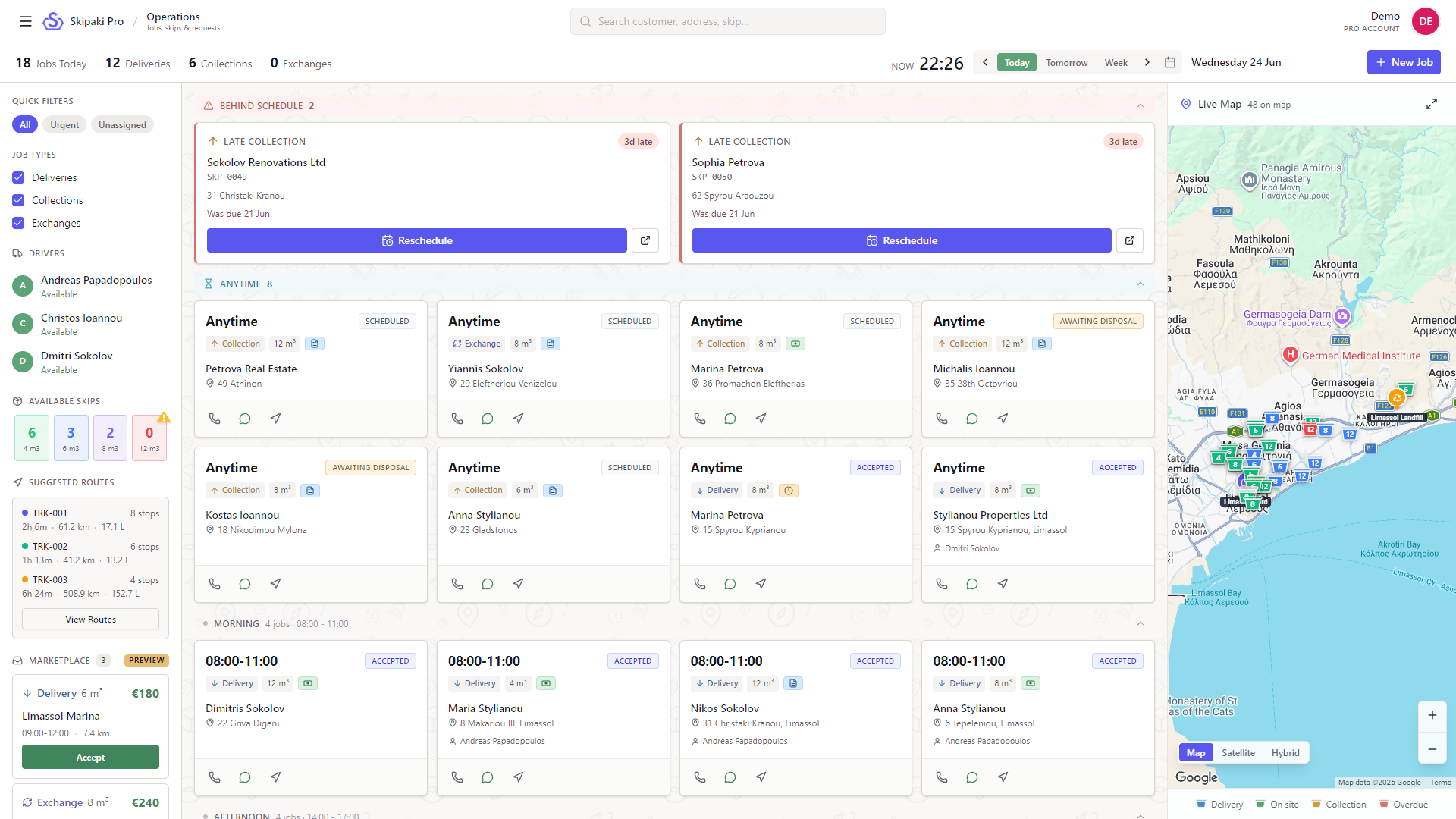
See the day at a glance, know what's actually free before you promise it, and close every order with a real invoice. The rest of the office falls in line behind those three.
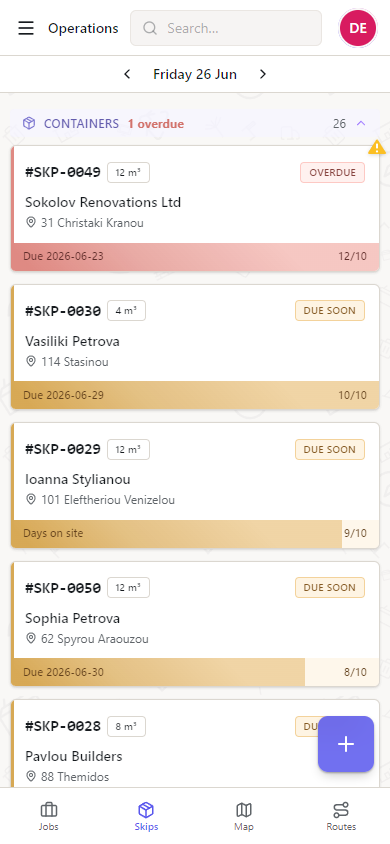
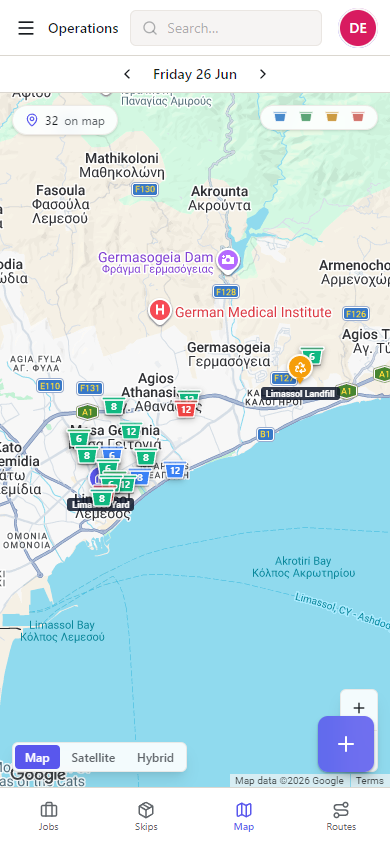
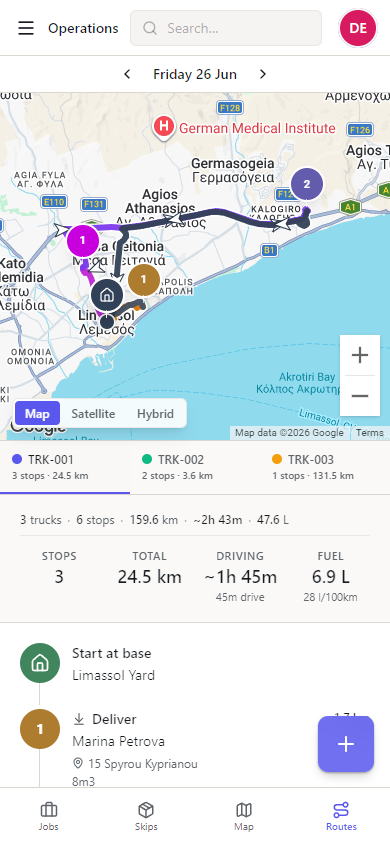
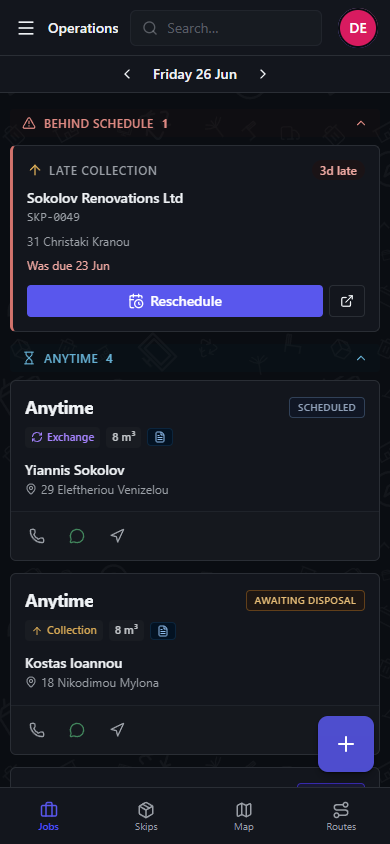
Today opens by default. Late collections sit on top in red. Time-slotted jobs stack underneath. The map shows every planned job, the assigned truck and the last known container location, colour-coded by type. (No live GPS — positions update when the driver marks a stop done.)
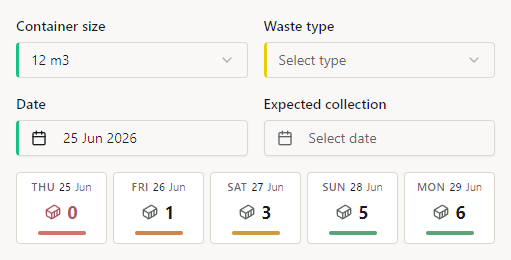
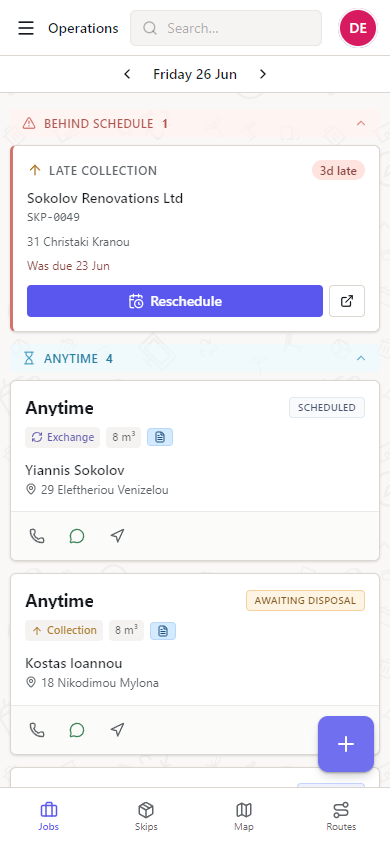
Before you commit a date on the phone, the new-order form shows the five days around it with a real count of skips free in each size. So "yes, Wednesday morning" never turns into "sorry, the 12 m³ is still in Mesa Geitonia."
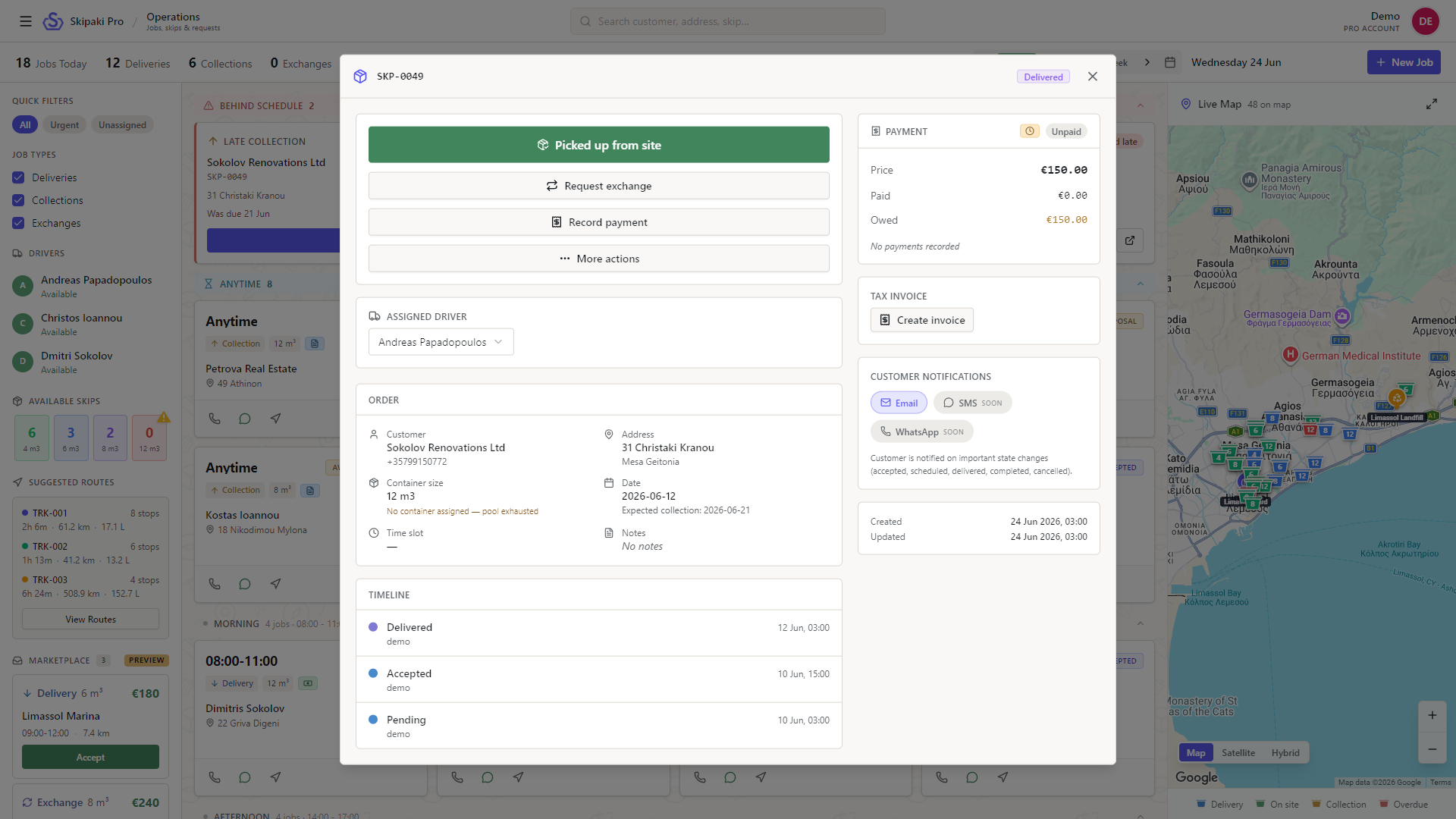
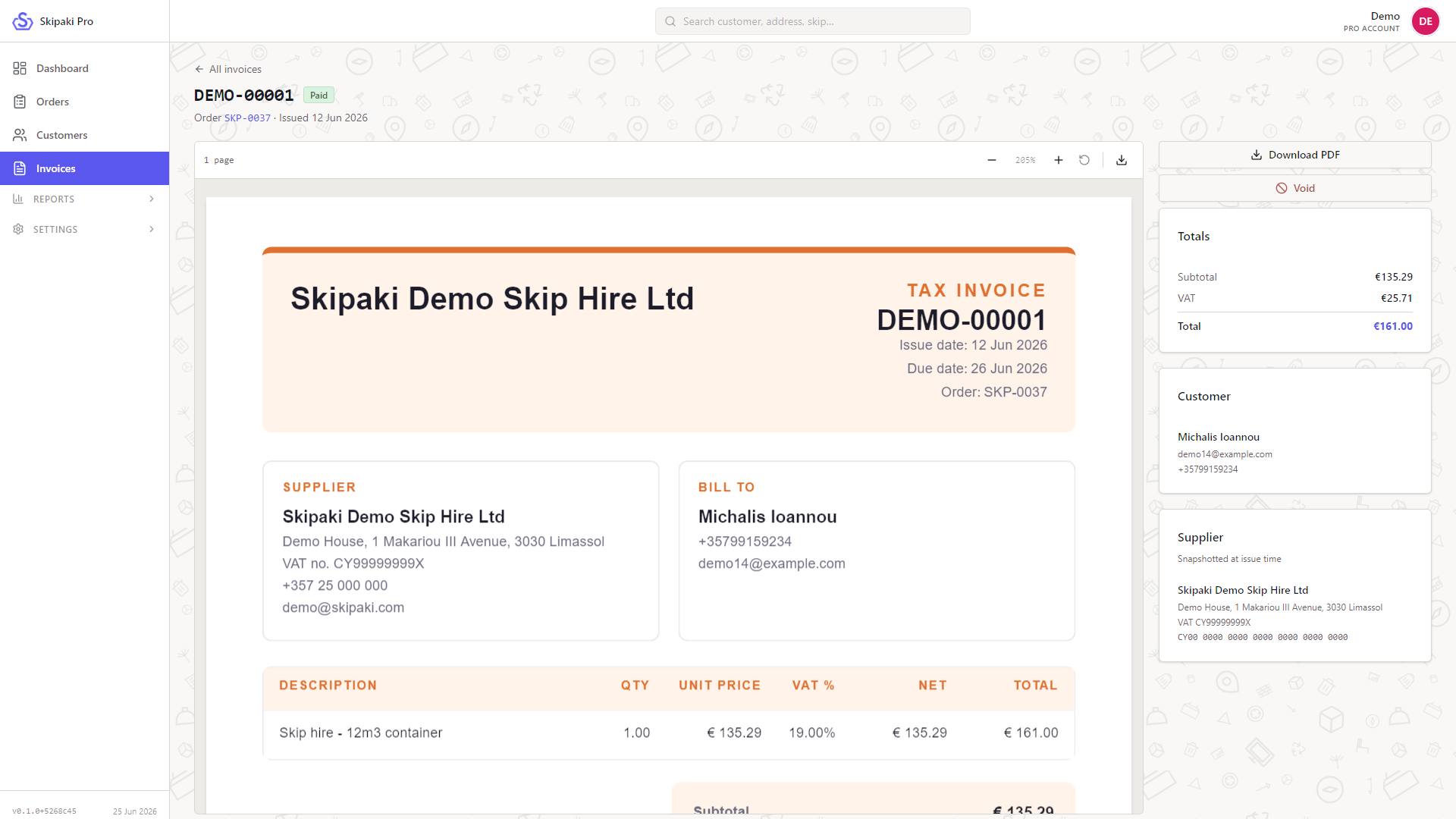
The driver marks the skip picked up. You record a cash payment. The invoice generates itself — numbered, dated, VAT-compliant, ready for the accountant.
Greek, Russian, English. Phone in the middle of the sentence, address with a typo, price at the end. The model parses it and lands every field in the new-job form, ready for one quick scan.
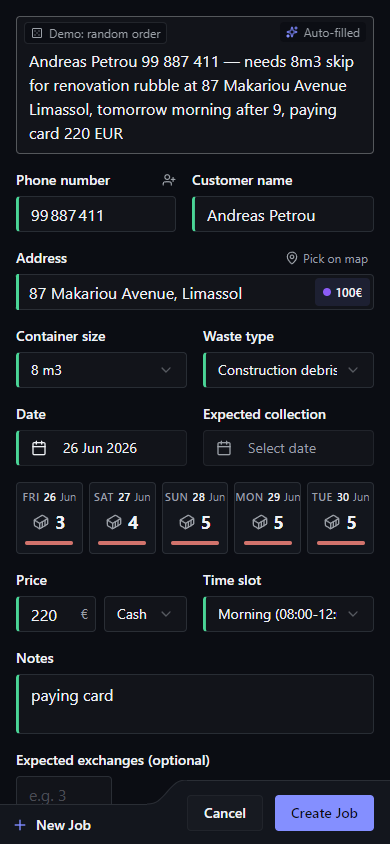
Greet a returning caller by name and quote their usual size without asking — phone, history, total spent, last order up the moment it rings.
Bill same-day instead of Tuesday-morning. Cyprus-VAT-compliant numbering, PDF ready for the accountant, void with reason.
End the month knowing what it earned, who's overdue, and which channel actually paid back — not what the month felt like.
When a customer disputes a delivery, the answer is a timestamp instead of an argument — every state change with who, what, when.
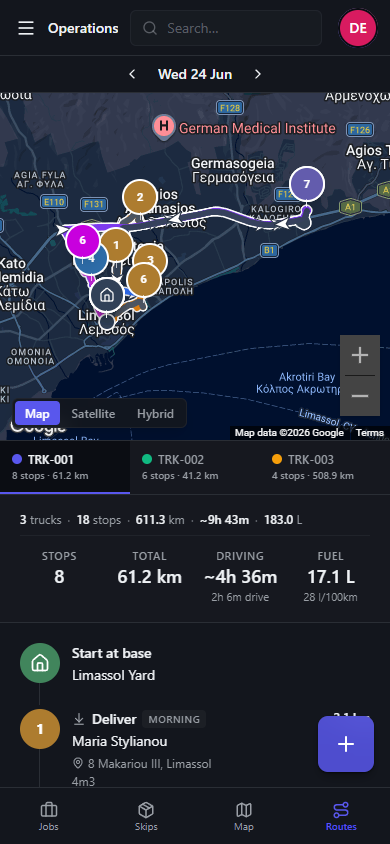
Drivers run shorter routes. Fewer kilometres, less fuel, fewer reorderings shouted into a phone — stops sequenced and totalled per truck.
Quote the right Mesa Geitonia price in five seconds, not five minutes — zones drawn on the map carry their own delivery cost.
Drivers know their whole day before they start the truck — the depot phone goes quiet by 8 a.m.
Greek-speaking driver and English-speaking owner work the same data — no WhatsApp translation copies floating around.
Open in any browser, install to the home screen if you want. The driver sees their day, the dispatcher sees everything. Bottom nav switches Jobs · Skips · Map · Routes.
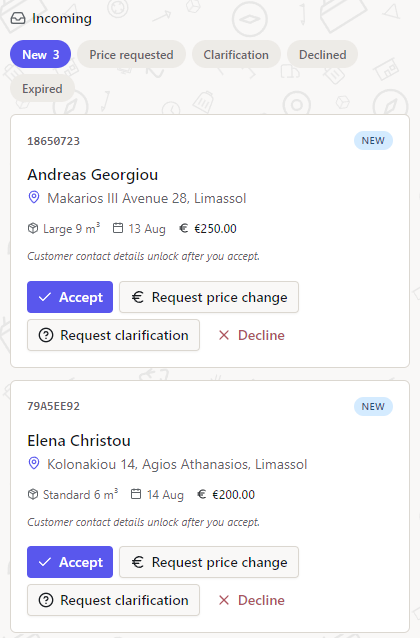
Most skip-hire management software stops at the office door. Skipaki Pro doesn't — because the consumer brand skipaki.com already has Cypriots searching for skips. Partner operators receive matched enquiries directly in the same Pro dashboard, with customer, address and container details already filled in. No re-typing, no chasing.
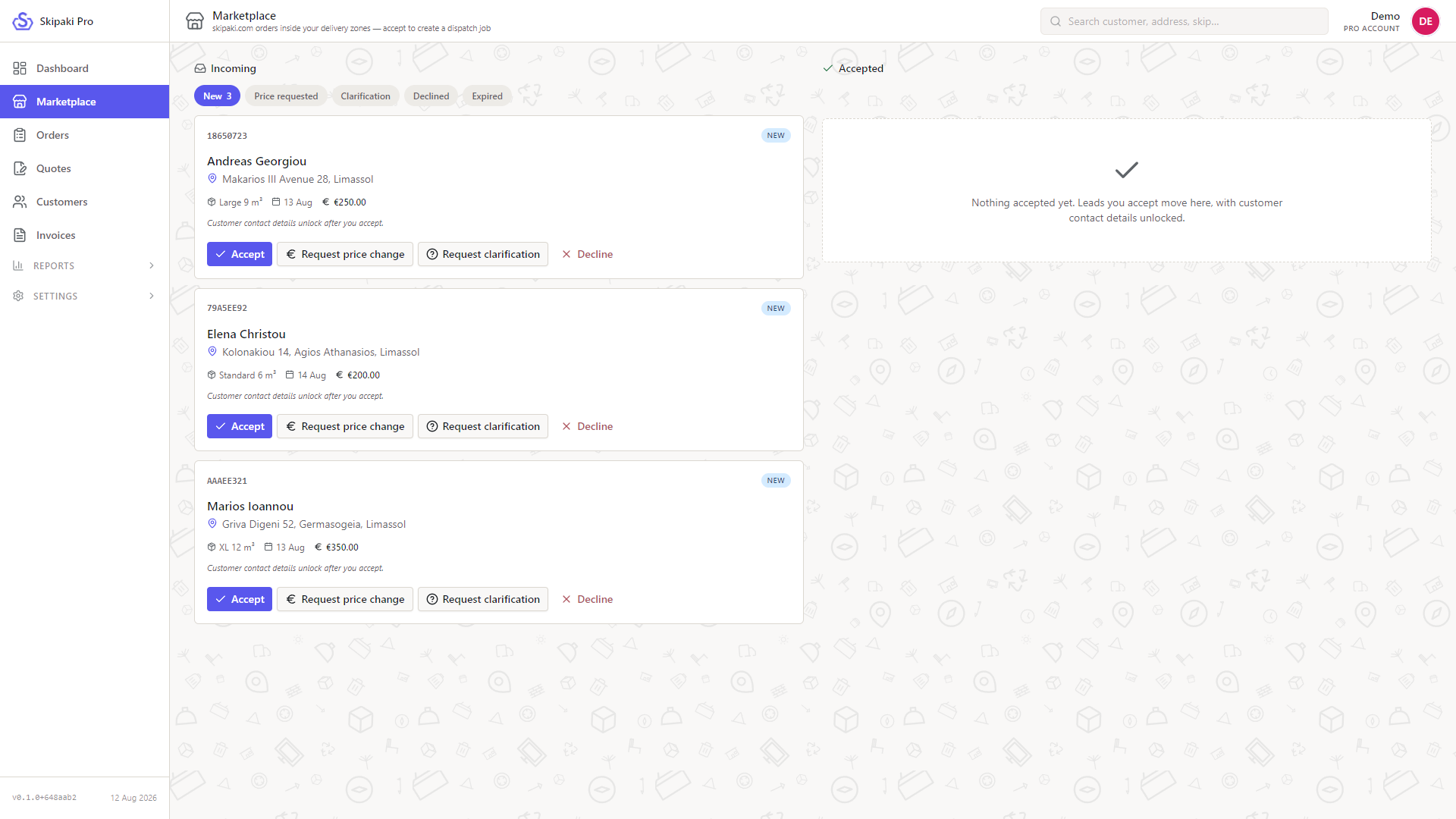
Your own phone and website orders sit beside marketplace requests in the same inbox — accept the ones that fit your fleet, decline the rest in one tap.
Every enquiry arrives as a card: size, delivery date and price already on it. Not sure about access or the price? Ask for a clarification or propose a different price without picking up the phone — the answer comes back to the same card.
Accepting takes one tap: pick which of your containers fits and the enquiry becomes a normal job on your dispatch board — same drivers, same containers, same invoicing. When your driver marks it delivered or collected, the customer's order on skipaki.com updates by itself. Plans changed before delivery? Hand the job back and it returns to the marketplace.
14-day free trial, no charge until it ends. Cancel any time from Settings → Subscription. Payments are processed by Paddle.com Market Ltd (Merchant of Record); VAT is added at checkout. See the Terms and Refund Policy.
How to start. Ask for an account at info@skipaki.com, we set up your operator, zones and container sizes together, then you start the trial from Settings → Subscription inside the portal.
No per-user pricing. Add every dispatcher and driver you have; the price does not change.
Invoices you can hand to your accountant. Every payment gets a VAT invoice from Paddle, downloadable from the portal.
A live demo with 50 real orders, a dozen customers, a month of invoices, a Limassol service map. No account, no card.
ACAoKktQxIH9 Skipaki Pro FOR OPERATORS